How to set a screen saver on a Mac
Three steps from download to watching a pet trot across your screen. This guide also covers where the setting lives on macOS 26 / Sonoma / Ventura, and what to do if macOS says it can't verify the developer.
Install in three steps
- 1
Download the screen saver
Click "Free download" in the Free section on the home page, or buy Plus and download from your account. You'll get a .saver.zip archive.
- 2
Unzip and double-click
Double-click the archive in your Downloads folder to unzip it, then double-click the .saver file. macOS opens System Settings and offers to install it — click Install.
- 3
Turn it on in System Settings
Open System Settings → Wallpaper and click "Screen Saver…". On macOS 14–15 you'll find Screen Saver in the sidebar instead. Pick the one you just installed from the "Other" group at the bottom of the panel, switch "Use Screen Saver" to Custom, and set "Start Screen Saver" to a delay you like.
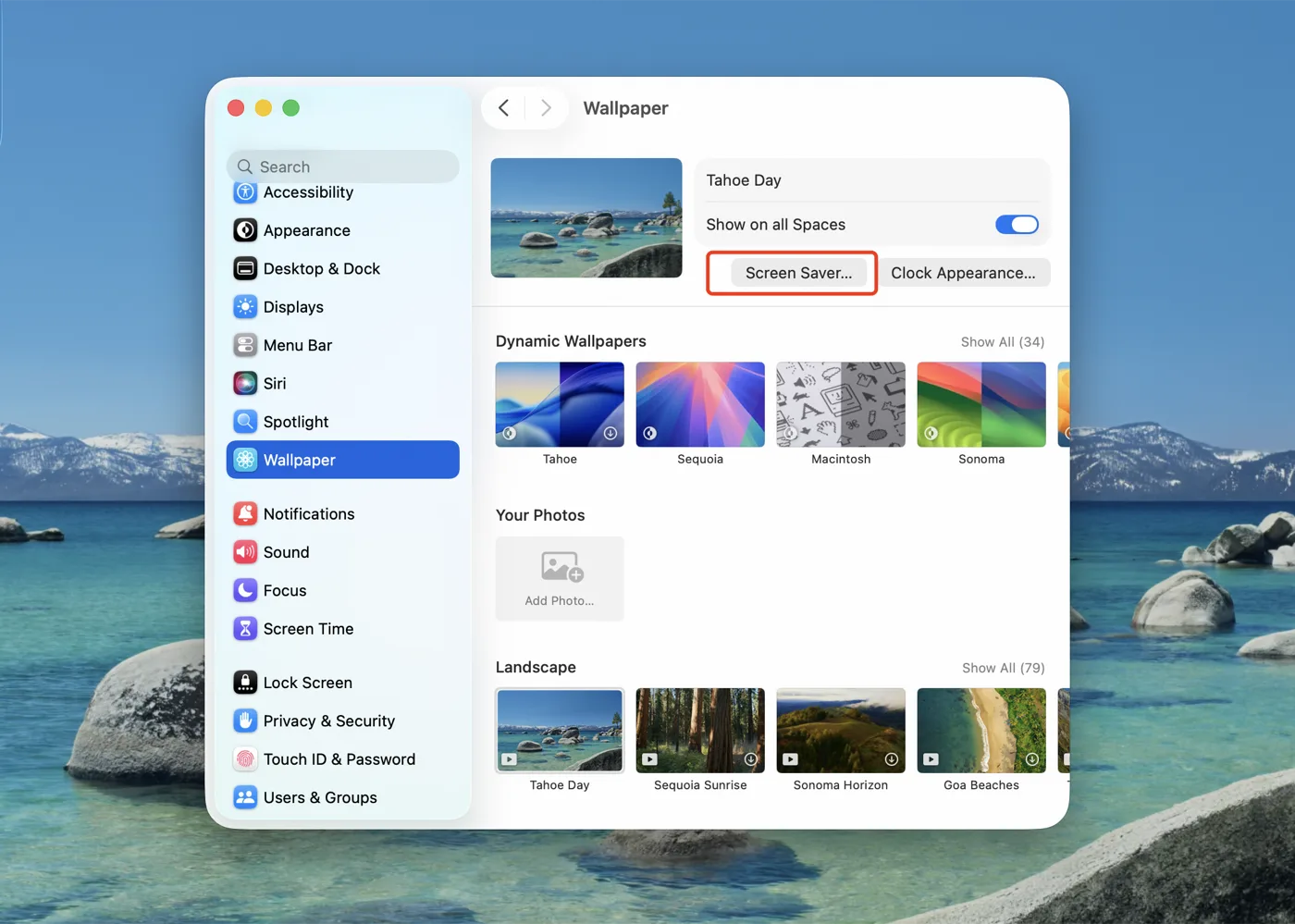
System Settings → Wallpaper → Screen Saver… 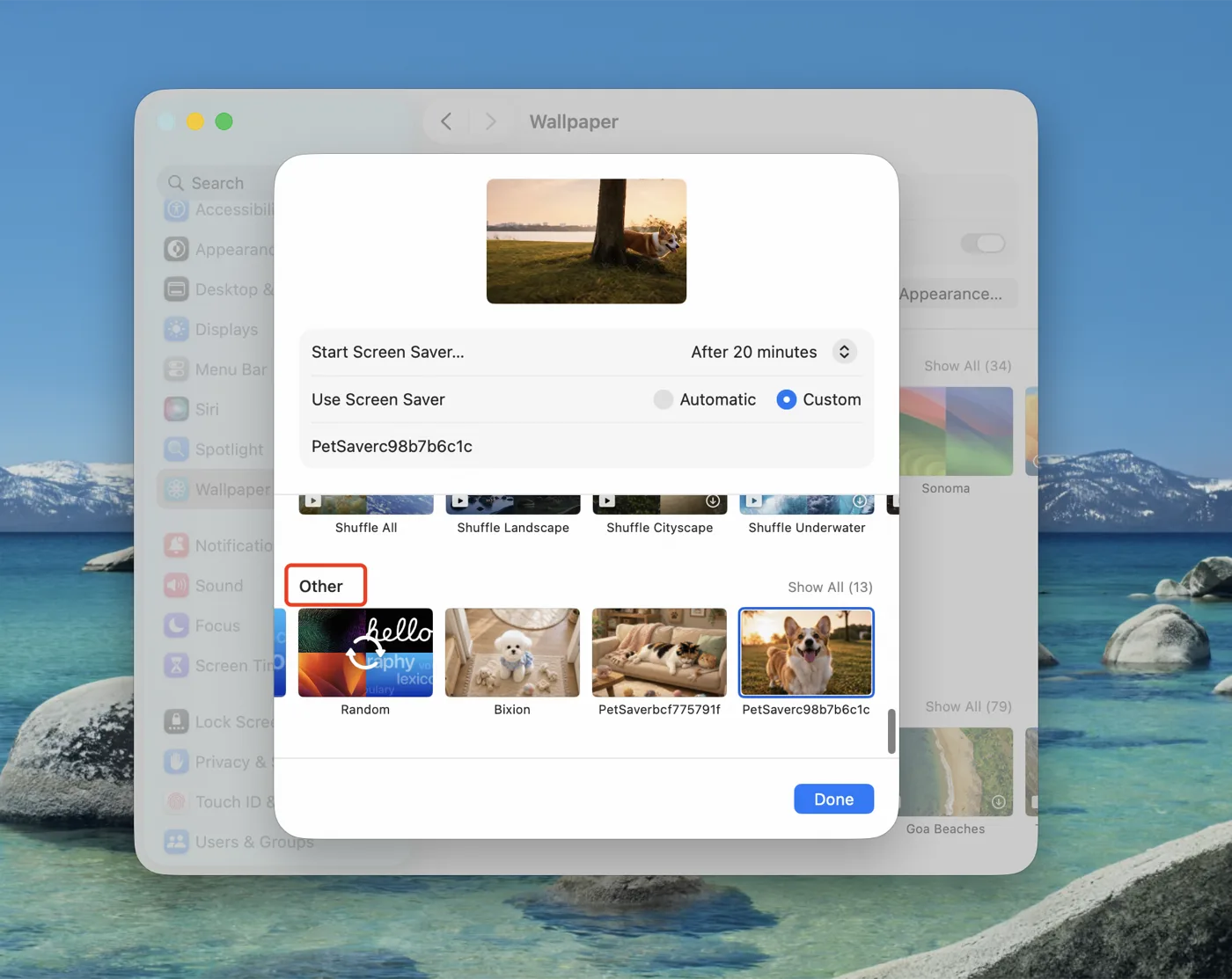
Your screen saver appears under "Other"
Where the setting lives on each macOS version
| macOS 26 Tahoe | System Settings → Wallpaper → Screen Saver… |
|---|---|
| macOS 14 Sonoma / 15 Sequoia | System Settings → Screen Saver |
| macOS 13 Ventura | System Settings → Lock Screen → Screen Saver |
| macOS 12 Monterey and earlier | System Preferences → Desktop & Screen Saver → Screen Saver |
Frequently asked questions
macOS says the developer can't be verified — what now?
Furvi screen savers are notarized by Apple, so this shouldn't normally happen. If it does, open System Settings → Privacy & Security, scroll to the bottom and click "Open Anyway", then double-click the file again.
Where is it installed, and how do I remove it?
Screen savers install to ~/Library/Screen Savers. To uninstall, right-click it in System Settings → Screen Saver and delete it, or remove the .saver file from that folder.
Is there sound? Will it affect performance?
Every screen saver is muted by default and loops automatically. They use the native ScreenSaver.framework with hardware decoding, so power draw stays low even when idle for hours.
Which Macs and macOS versions are supported?
macOS 13 and later, on both Apple silicon and Intel (universal binary). With multiple displays, each screen plays its own loop.
How many devices can I use a purchase on?
Purchases are tied to your account, never expire, and can be re-downloaded any number of times for your own personal use.
Are these real recordings of pets?
No. Every scene on this site is AI-generated, created from how real pets look and behave.
Pick one up now
Two free screen savers download without an account. More cats and dogs are $3.9 each, or $6.9 for everything.
Browse screen savers